Identify it
Use a photo, barcode, bundle, gallery image, text description or product link.
Choose your region for the right currency, sold-price market, sourcing language and app-store pricing.
You can change this anytime from the region menu.
Point your camera at an op-shop, weekend-market or garage-sale find. Identify and value it, create listings, cross-list to more marketplaces, find local sourcing spots and track the final profit.
Earn Hive Points along the way. Meet your resale toolkit →
Loading current activity…. Recent finds from the community. Values are estimates and vary with condition and the evidence available.
Each step keeps the photos and information from the step before it, so you do not repeatedly identify, rewrite or re-enter the same item.
Use a photo, barcode, bundle, gallery image, text description or product link.
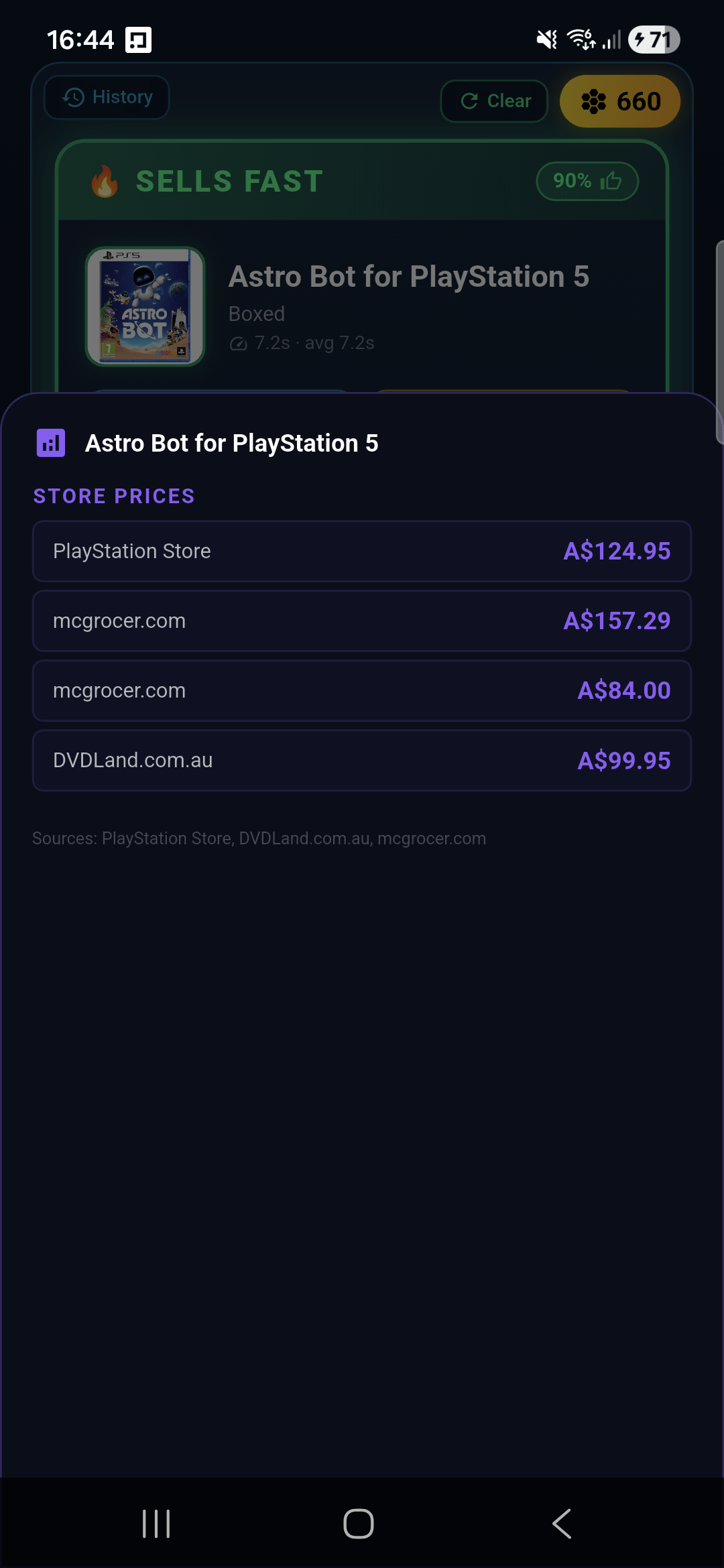
Compare recent sold prices, active competition and relevant resale sources.
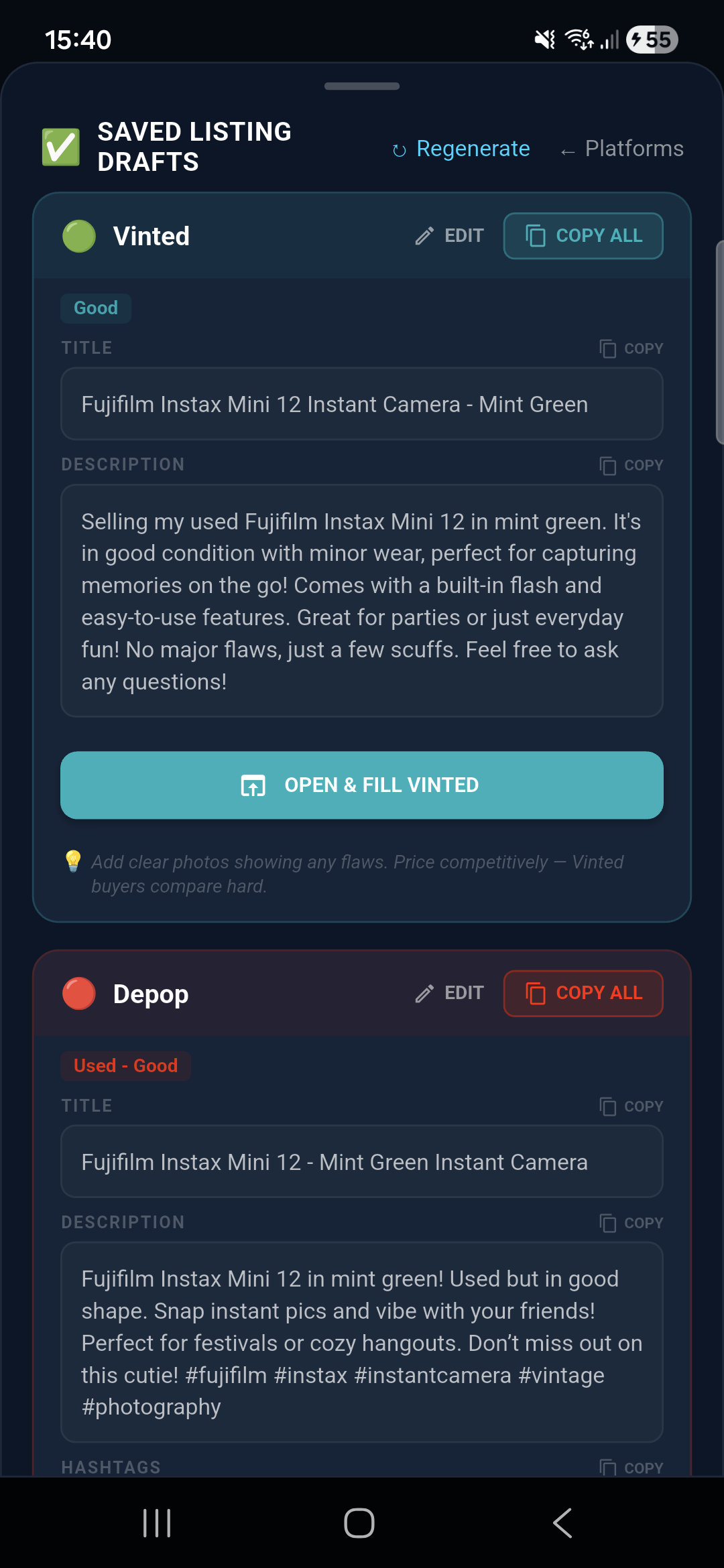
Generate, edit and save marketplace-specific titles and descriptions.
Keep cost, status, sale price, profit, ROI and sell-through together.
Choose an example item to see the evidence Profit Prophet keeps separate on the result card.
Illustrative examples. Live results change with condition, region and current listings.
Sold means completed eBay sales. Asking means current listings. Cash and voucher are CeX trade-in offers.
Real eBay Australia sold prices and current active listings are separated clearly. CeX Australia cash and voucher offers show what a same-day trade-in could return.
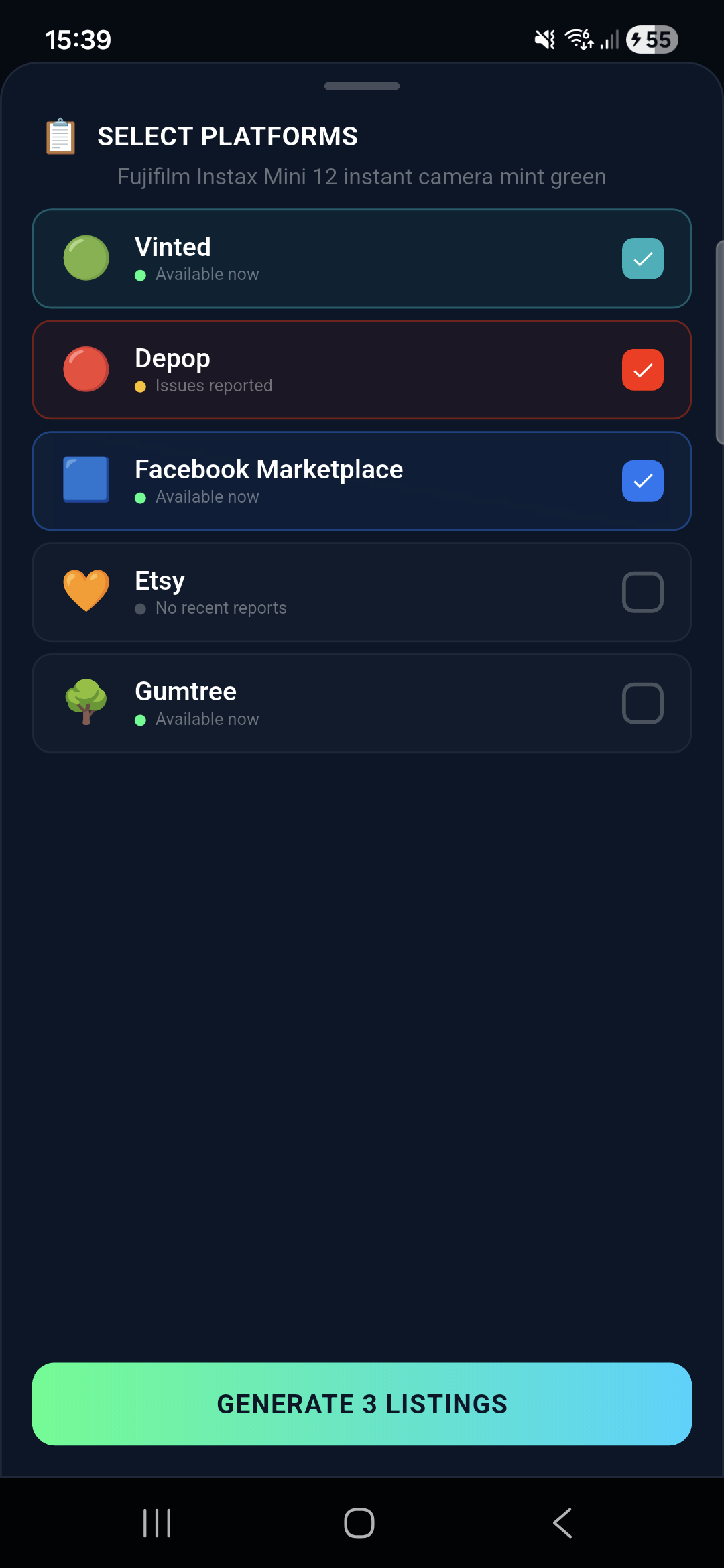
Generate the title, description, price and item details, review or regenerate them, then prepare tailored drafts for each marketplace. The drafts and photos stay attached to the item instead of disappearing when you leave the flow.
Marketplace availability varies by region. Assisted listing flows are clearly distinguished from direct publishing.
Explore nearby sourcing spots and keep promising finds close to hand.
Explore sourcing →Review your scans, inventory and saved listing drafts on the web dashboard.
Open your dashboard →Set a supported search and explore opportunities backed by completed-sale evidence.
Meet Kestrel →Build your resale routine with Profit Prophet. Earn Hive Points through useful actions, follow your progress and explore competitions in the app.
Explore all the toolsBrowse tech, games and worthwhile finds at Good Turn Goods, with your Profit Prophet account.
Take a look around →Use your Hive Points for 5% or 10% off eligible Good Turn Goods orders. Minimum spends and discount caps apply; UK delivery only.
Paid plans include a seven-day trial. Subscriptions are managed through Apple or Google.
For testing the workflow.
For regular weekend sourcing.
For high-volume resellers.
Yes. The sold figure is based on completed eBay sales. Active listings and live asking prices are displayed separately because they answer different questions.
Profit Prophet prepares and saves tailored drafts, then opens supported marketplace flows. Direct eBay publishing is supported through eBay OAuth. Other marketplace flows remain assisted and may change when those sites change.
The Free plan includes three daily scans plus optional ad-rewarded scans, one daily listing and three inventory slots. Paid plans have a seven-day trial.
Kestrel watches Vinted listings and checks potential deals against completed eBay sales. Try one regional watch free for three days, once per account and subject to availability. No card or automatic subscription; Kestrel is separate from Profit Prophet Pro.
Start with the free plan. No card is needed for the free tier.